Problem
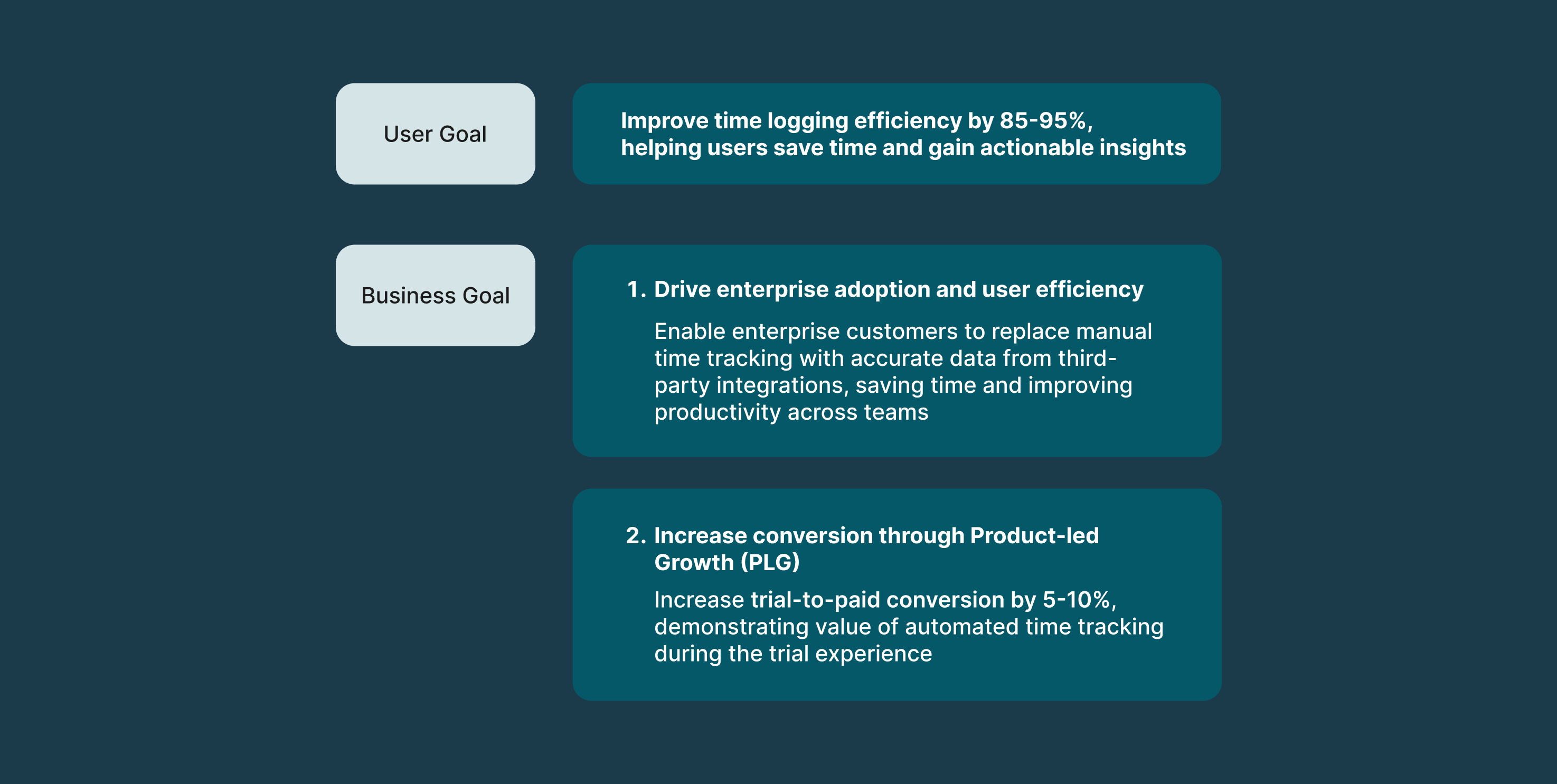
Enterprise users hate logging time manually because it’s time-consuming, leading to low task efficiency and user drop-off.
Opportunity: To reimagine time tracking as a low-effort, high-accuracy experience by combining user-controlled automation with ML. By leveraging data from different systems, we could reduce manual input, improve data reliability, and rebuild trust —while meeting the needs of both individual users and enterprise administrators. This would help Tempo expand in the Enterprise space.
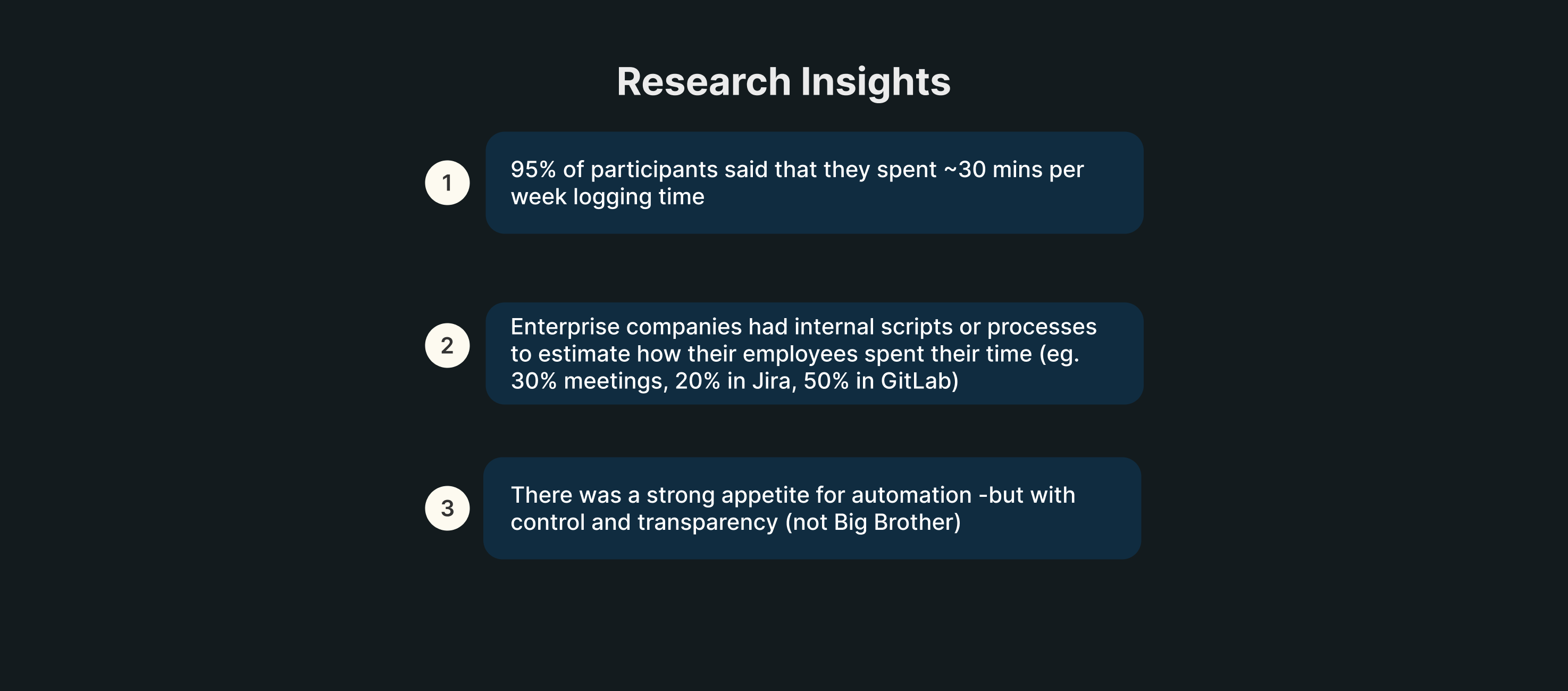
My Role: I led end-to-end design for Tempo’s automated time tracking feature. Interviews with enterprise users revealed that they were frustrated with spending 30+ mins a week manually logging time. This created an opportunity for a UX strategy that would reduce user pain through automated time tracking. I pushed to introduce bulk logging activities, org-level integrations, and improving our ML algo to recognize common patterns, making time tracking faster and smarter at scale (among other things).
How might we use integrations for automated time tracking to reduce user friction, increase efficiency and increase trial-to-paid conversion?

🎯Objectives
Discovery & Research
To identify opportunities to improve task efficiency for enterprise users, we conducted user interviews with them. After a combination of user interviews, insights from our Atlassian solutions partners, requests from our Aha! Idea portal, Amplitude data and surveys, we got the following insights:
Quotes
“Copying all my meetings into Tempo every week is like pulling my teeth out. Please build an O365 integration for my Outlook calendar.”
“It would make a huge difference to our user base if Tempo could be integrated with our O365 Calendars and have worklogs automatically created.”
“A GitLab integration will be very useful for our engineers so that they can spend less time logging their work.”
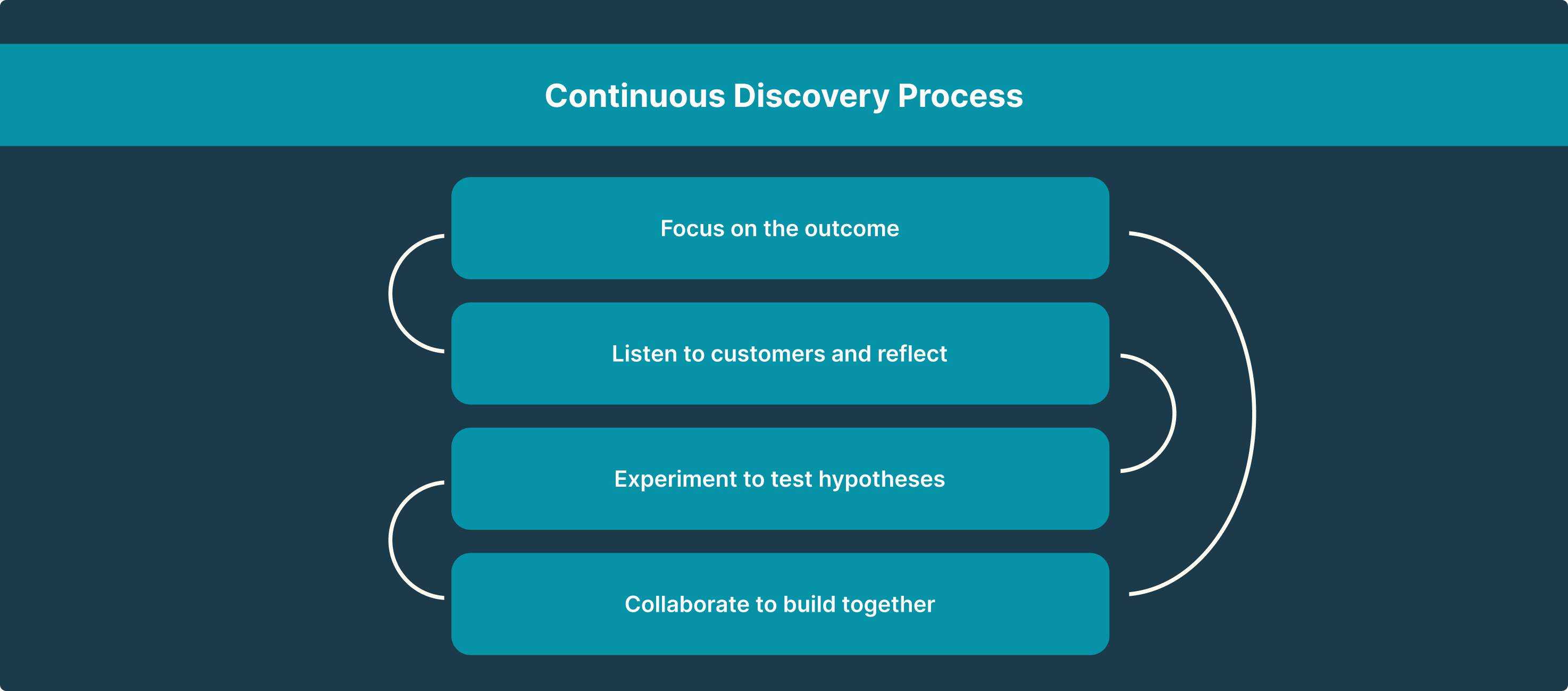
My process is a combination of Lean UX (Think->Make->Check, repeat) and the Continuous Discovery Process, in a SAFe-ish framework.
Ideation & Collaboration
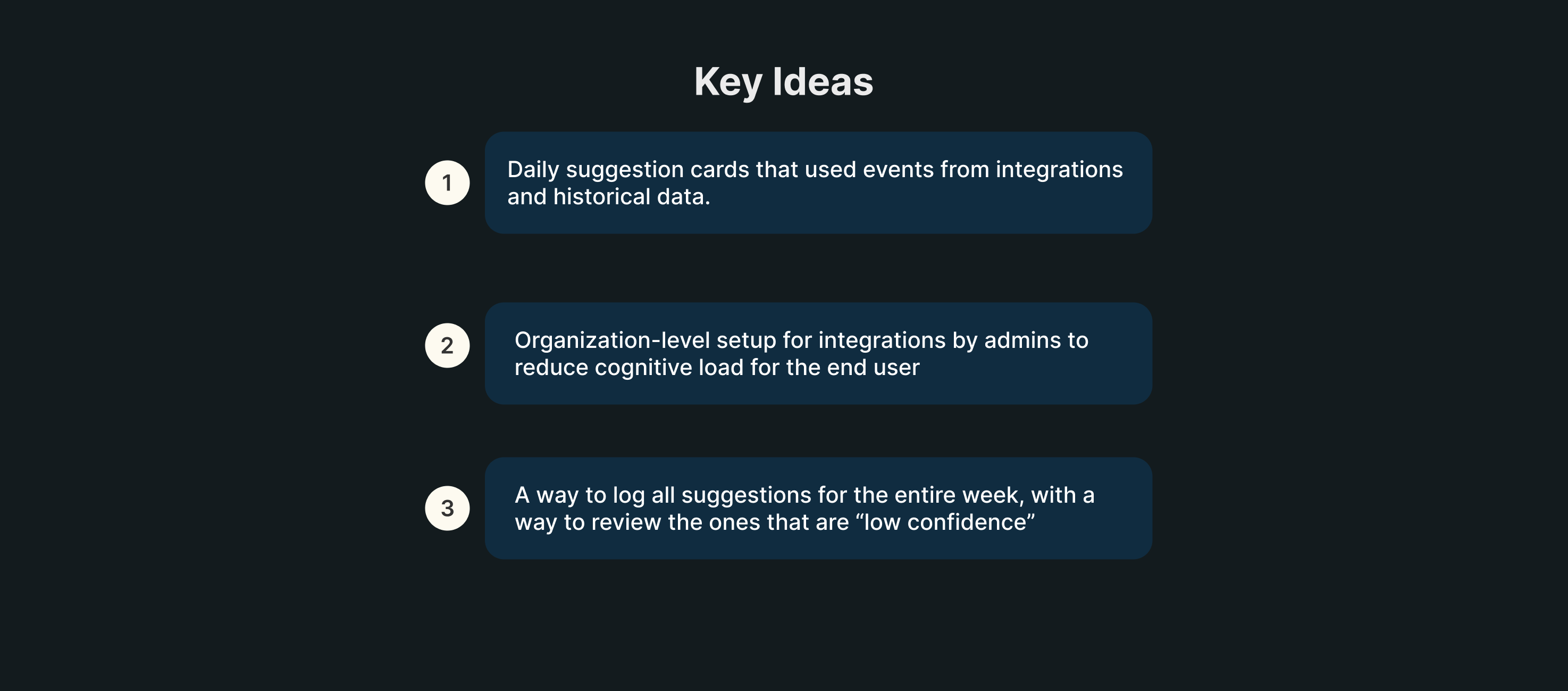
I collaborated with our Machine Learning team to understand the ML model’s potential. Here are some things I pushed for:
- Identifying key words and associating them with Jira tickets so that users don’t have to spend time linking each task to a Jira ticket
- Picking the activity (suggestion) that the ML model is most confident about based on signals from different systems
- Transparency into the signal sources so that users are aware of what data is being used
Things I influenced while collaborating with my PMs and engineers:
- Product Led-Growth (PLG) strategy for enterprise
- Using automation to reduce load on the user
- Technical feasibility of bulk logging all activities
Employees use a lot of different products to do their jobs and to give them an accurate depiction of their workday, we have to consider getting the data from the apps that they use the most. Timesheets by Tempo’s integrations help users get a better picture of the work they did thanks to integrations with Google Calendar, Office 3655, Github and VS Code (to name a few).
In order to tackle a major pain point that was identified from enterprise customers, we released organization-level integrations, where an admin can enable integrations for the entire organization or specific Tempo Teams that they choose.
This reduced the burden for individual contributors as they no longer have to manually go in and enable each integration in their instance.
User interviews revealed a fear of being tracked by AI and how this information could be misused by various entities. We actively educate our customers on how time tracking data should not be used to measure performance or worse, to shame employees. Our messaging is always about how time tracking should be used for R&D credits, for measuring team health and productivity to prevent burnout, etc.
Apart from the messaging and educational aspect, we also have certain considerations for security built into our systems. For example, for Github, the app captures events from Github’s webhooks for Create, Push, Commit and Pull Requests, and does not read actual code.
Third-party integrations

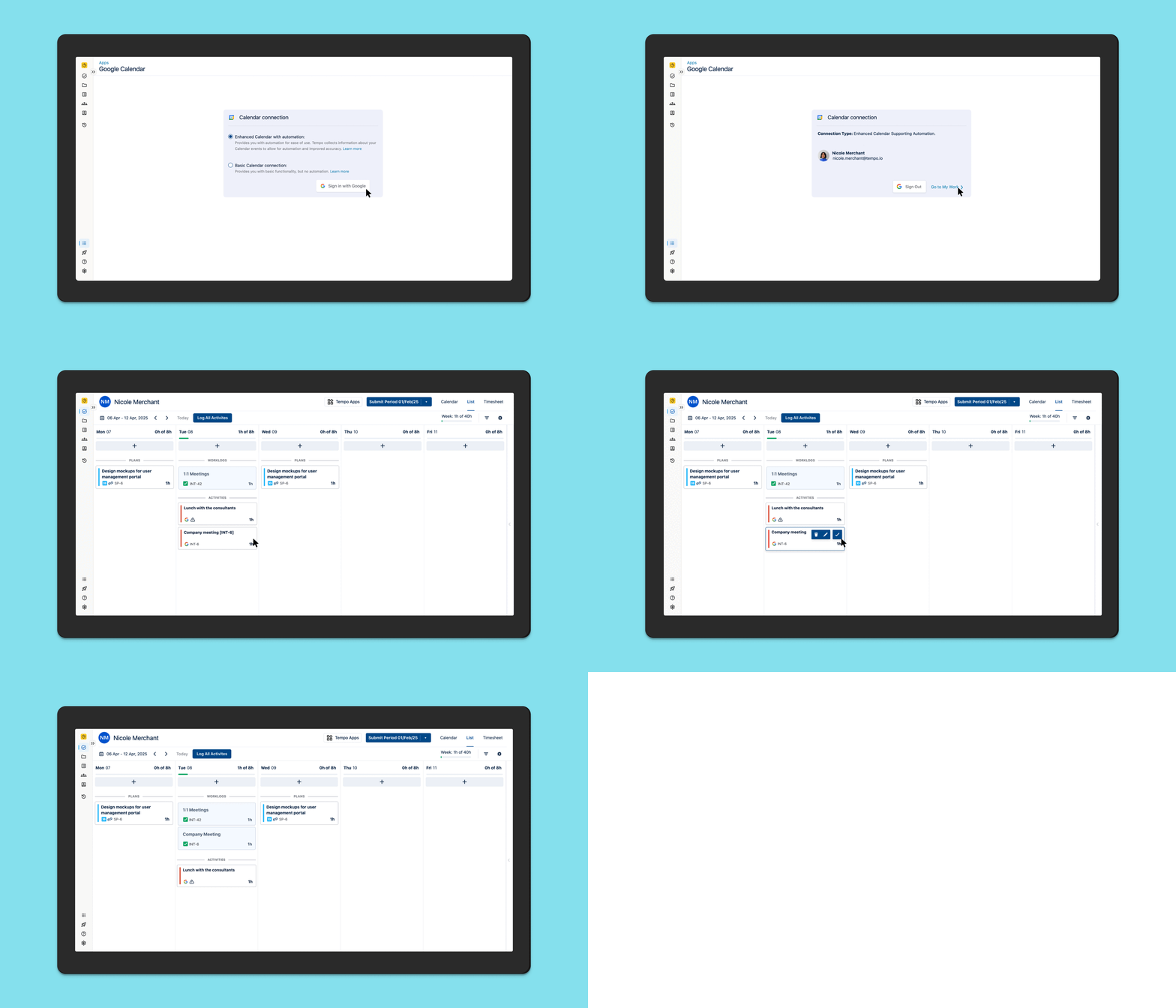
Individual-level integration set up
For the first iteration, we did qualitative and quantitative testing for end users setting up integrations and logging activities for a single day.
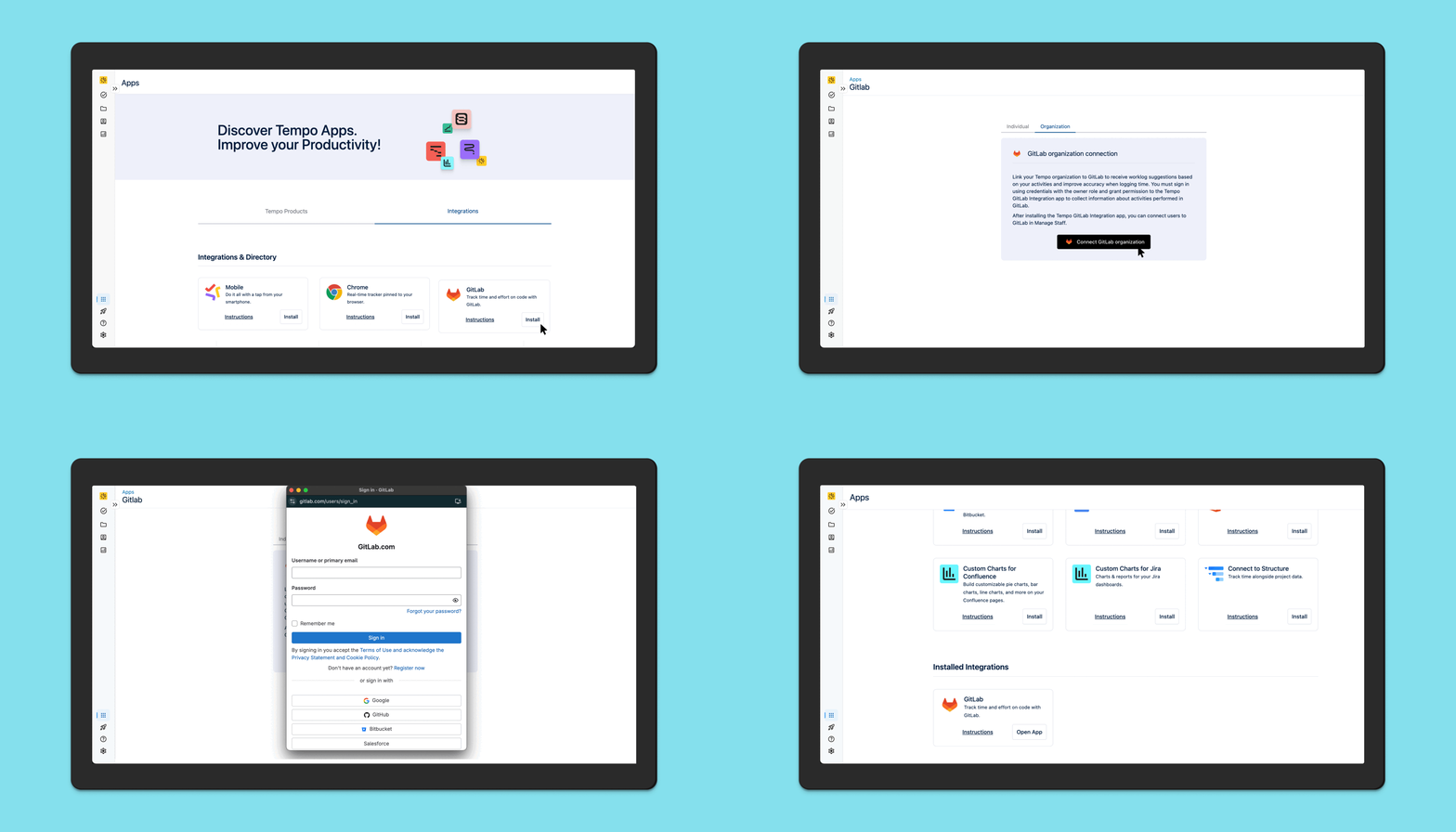
Organization-level integration set up
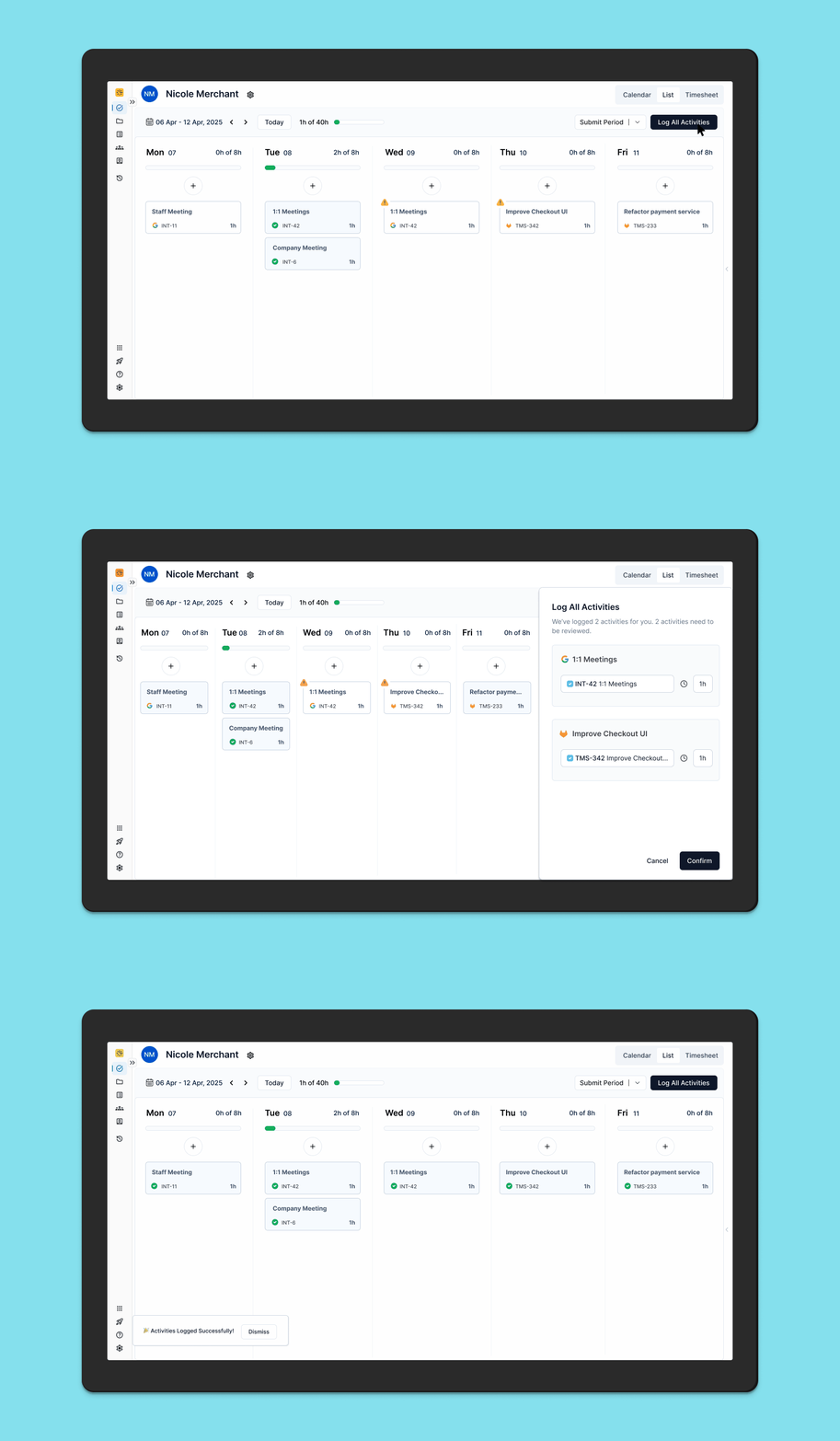
For the second iteration, we introduced organization level integration set up to reduce cognitive load for the end user and increase their time to value. Their admin would do a one-time setup for each integration for their entire organization and end users would be able to start using AI Activity cards immediately.
After this, we introduced Bulk Log All Activities for the entire week in order to make logging time even more efficient for end users.
Usability Testing for “Bulk Log All Activities”
Objective: Ask users to log all activities and determine whether they can easily find and use the button.
Hypothesis: Placing the “Log All Activities” button at the top of the page will result in a higher success rate and faster task completion time for users when they attempt to log all activities, as it aligns with their expectations for accessing primary actions quickly and intuitively.

A/B Testing
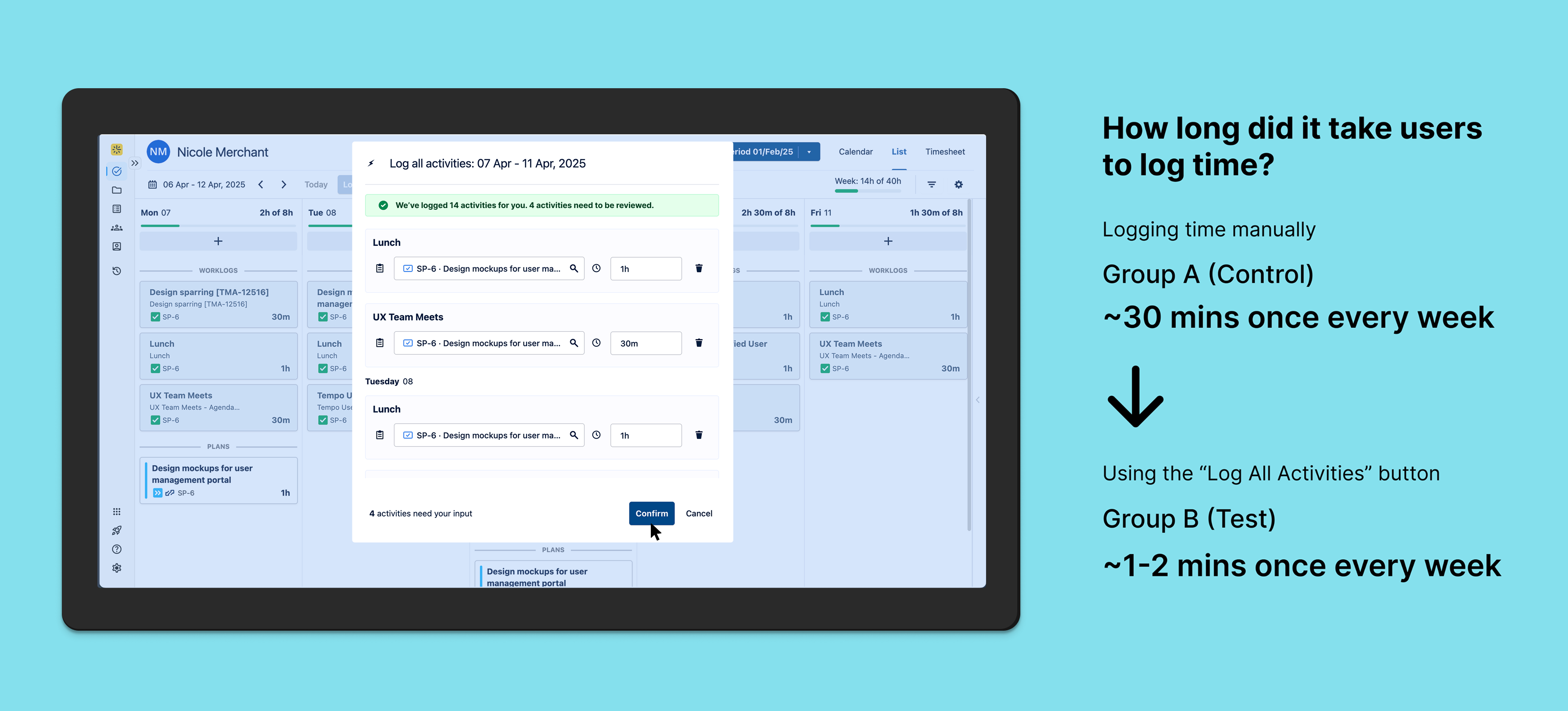
Objective: To determine if a single “Log All Activities” button for the entire work week improves user efficiency and satisfaction compared to manually logging time.
Hypothesis: Users who have access to a single “Log All Activities” button for the entire work week will find it more efficient and will log their activities more consistently compared to those who have to manually enter each activity.
Impact Metrics: 1. Time spent logging activities 2. User engagement rate (how often are they logging time?)
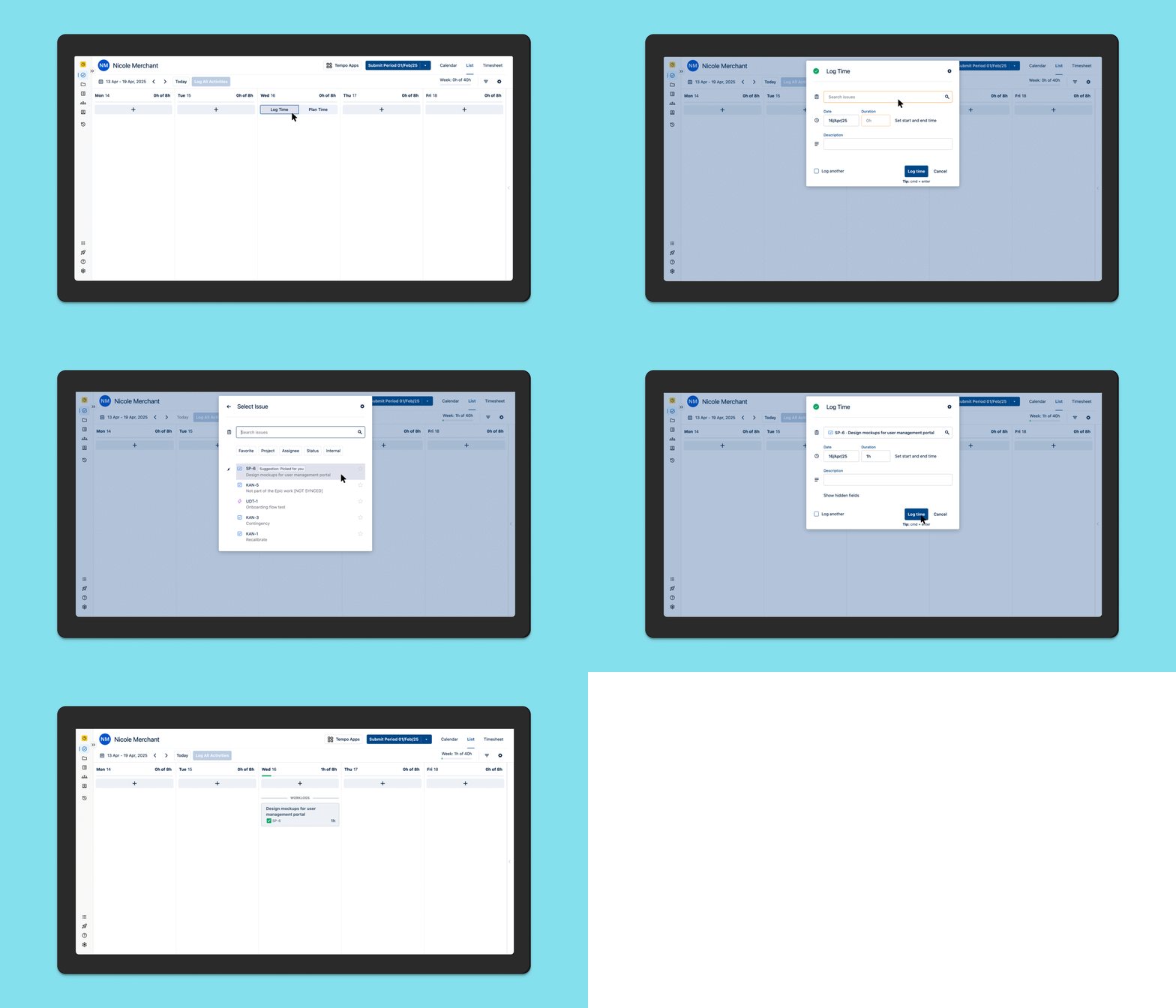
The Test: Group A (Control) will use the existing manual log time flow, Group B (Test) will have a new “Log All Activities” button for the entire week. The Data and Analytics team collected data for the metrics mentioned above and we ran the test for 6 weeks.
Group A
Group B
outcome & learnings
Increased workflow efficiency
Automation relieves the burden of time tracking for the end user and lets them focus on doing actual work. This increases productivity and saves the company money.
Cost savings: If an average Software Developer at a SaaS company that has 50 developers earns $200,000 and they spend an average of ~30 mins per week manually logging time, the company would save millions of dollars (9 million in this scenario) per year if the developers use automation to log time, which reduces time spent on the task to around 1-2 mins per week.
This feature is performing at a trial-to-paid conversion rate of 19%. This helped me identify a PLG opportunity for introducing this feature in the Tempo panel in Jira’s issue view which is used by 49% of our users. These users never navigate to the main product, hindering their discovery of AI generated suggestions.
🔮 Future vision
keep on talking to customers 💬
Discovery never ends
Working on automation and integrations opened new avenues of design thinking for me. After this initiative, we started discovery on whether AI can log time for users and generate insights for their managers about the work that their team has been doing. This led to the launch of a new product in the Atlassian marketplace called Capacity Insights.
 Nicole Merchant